Showing posts with label Tricks. Show all posts

Monday, February 28, 2011

How To Change / Changing Fonts Nokia s60v5 (5233,5230,5530,5800, X6, C6, N97/Mini)

In March of this flavor-taste pengen posting a tutorial problem, understand posting ginian mood again so kalo udah gk 1 month mood might only have 10 posts doang:)
Okay, here I give a little tutorial how to change the font on s60v5 series phone using Fontrouter applications. Why should use Fontrouter? Because this application is very easy to use, features and application of many fonts is very easy. But why still there is trouble use this application? Maybe I load fonts that do not understand and also need to restart the phone to change those fonts. Actually a lot of applications that provide services such as Flipfont Dll replacement font, there is also a method of Copas but less efficient because they can not change the font size and complicated to change font-menggonta another. So I suggest really use Fontrouter (not a promo lho ..) For those who do not have Fontrouter can be downloaded HERE and the font can be downloaded HERE.
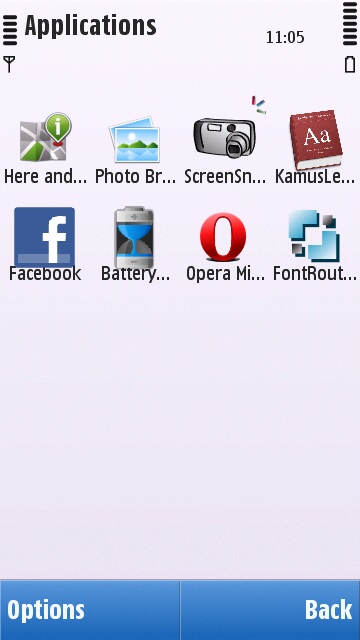


Just click "FontLocation"
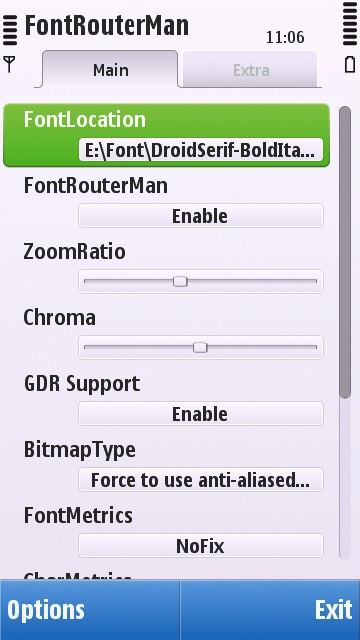


then select "Options" select "Open Font"
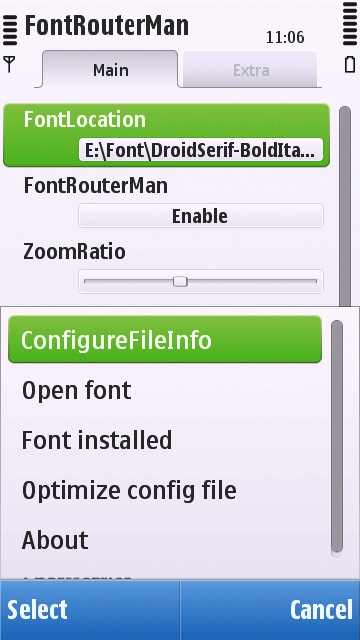


Find a font where you saved the font types. Putting up where but if you can in the main folder so that search easier.
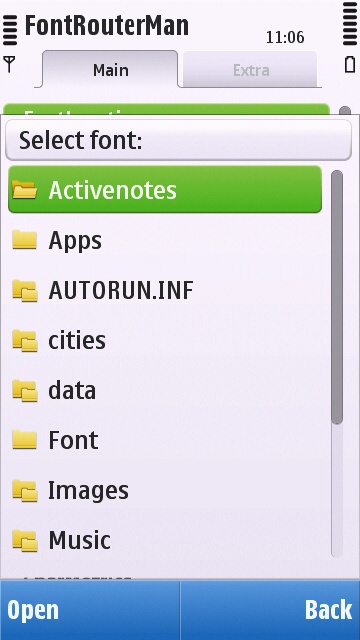


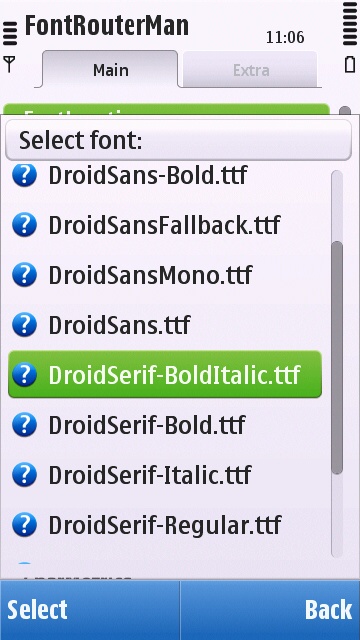
Select the font you want to replace the original font. I am here using the font from the writings of the Android model:)


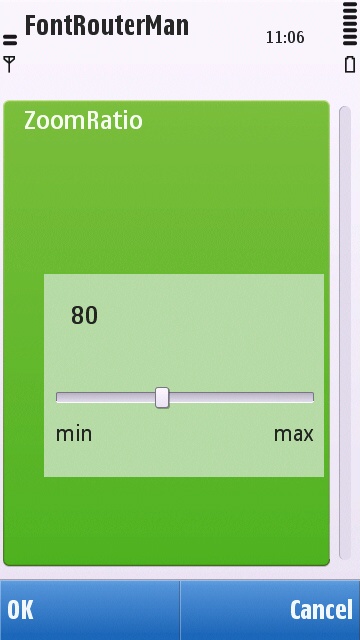
Then I changed to 80 because ZoomRatio to decrease the font size looked big and not let the pile-pile.


If already do not forget the restart. Do not forget the RESTART! to apply these fonts.

Tada ................ already so it's easy dech? live load-restart is finished. To change the other fonts the same way as the first step above. Now to restore the original fonts stay disabled Fontorouter then Restart. So every change the font to be restarted yes. The result is like this ..........
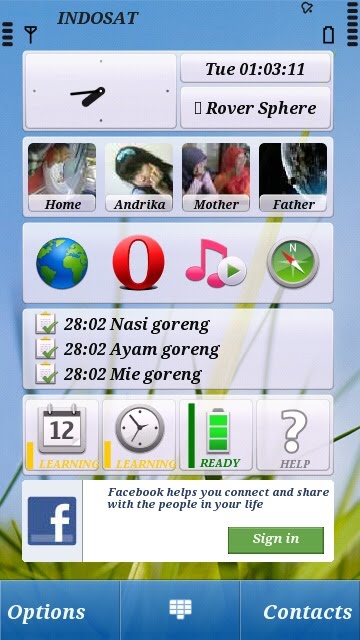


If still unclear please comment below yes:)

Thursday, December 9, 2010

REMOVE TRICKS THEME s60v5 (5228, 5230, 5233, 5232, 5235, 5530, 5800 ETC) BY THE WAY MANUAL

To save on phone memory, we usually install some themes and applications into the memory card. Because there is something possible problems with the phone or just a version upgrade, we finally had Hardreset or her flashing. Maybe before the flashing, the themes that we install on memory card is still detected by the Application Manager and also still be uninstalled / diremove / deleted or diapalah J. But if we've menghardreset or memflashing hape what happened? Mungin some applications are still detected by the apps manager, while the theme was not yet on the theme settings are still there are many themes that we have installed.

Therefore, the posting time I'll give a little trick how to remove the themes that are not detected by the application manager symbian v5 default is the term removed by force J. And certainly the theme to be removed is a theme that is installed in the MMC. If that already know this way, yes skip directly wrote, I just simply share than not posting ...... hehe

First install the first X-plorer or other Brower files that can display the hidden files. If already open x-plorer, locate the folder E: \ PRIVATE \ 10207114 \ IMPORT. Delete some or all of the folders within folders IMPORT. The drawback we do not know where the theme folder which we do not need to be removed.
REMEMBER, be careful not to men-delete the wrong folder.


Or if using kompter same way as above.


10207114 folder on the phone if you do not exist, hence our reference is the folder in which there is a folder inside the folder IMPORT IMPORT and there are several folders or even more according to the themes that we install. Suppose that we install themes on the MMC 5 pieces, then import the folder inside there are 5 folder. see picture:


View the folder one by one in PRIVATE. Find that there are folders within folders IMPORT IMPORT and there are several folders combination of numbers and letters as a folder that is in PRIVATE.
Download: click here
Related Posts Plugin for WordPress, Blogger...